See Newton in Action
A curated series of walkthroughs highlighting the speed, depth, and ease of building professional resources from launch to final output.
 Newton
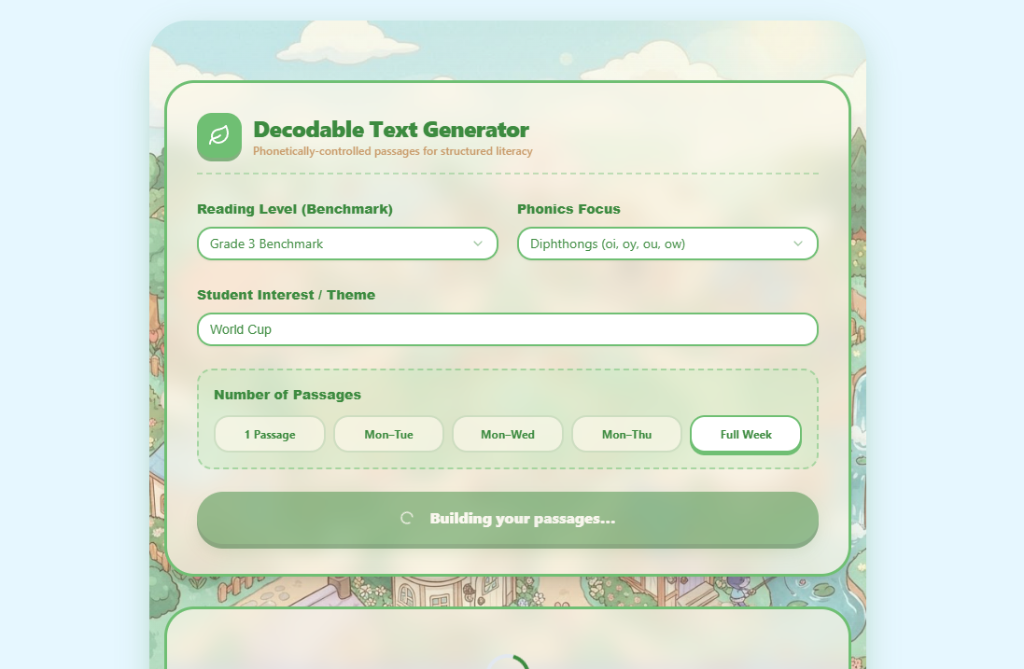
Choose the reading level, a phonics focus (here, diphthongs), and a student interest like the World Cup — then build a single passage or a full 5-day bundle.
Decodable Text Generator & Fluency Lab
One combined walkthrough of two core literacy tools. Decodable Text Generator: pick the reading level and a phonics focus (e.g. diphthongs), add a student interest like the World Cup, then generate a single passage or a full 5-day phonetically-controlled bundle — review target words, flip day tabs, and save or print for your small group. Fluency Lab: select a grade and genre to generate a standardized oral reading fluency benchmark passage, run the builtin 1-minute timer, click words to mark errors in the teacher view, enter Words Read Correctly with a running total, and save results for progress monitoring.
Newton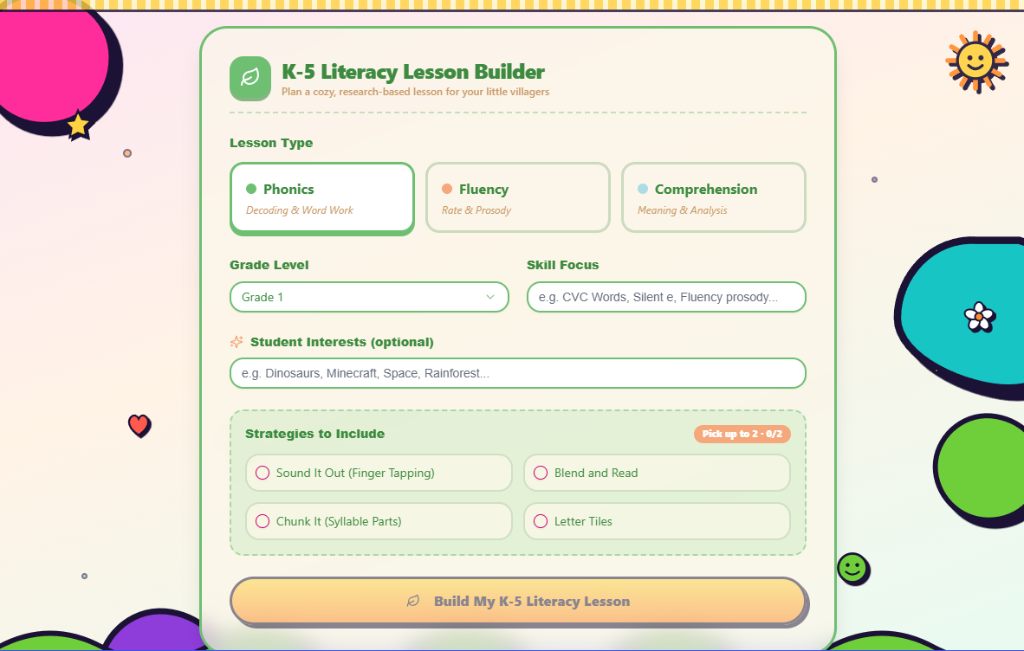
Start a K-5 Literacy Lesson by picking Phonics, Fluency, or Comprehension — then set the grade and a student interest to personalise the content.
ELA Lesson Planners — K-5, Middle & High School
One combined walkthrough of Newton's three ELA lesson planners. K-5 Literacy Lesson Builder: pick Phonics / Fluency / Comprehension, set the grade and a student interest, and generate a full research-based lesson. Middle School ELA Lesson Planner: choose a 6–8 CCSS standard, paste a mentor text (e.g. 'The Tell-Tale Heart'), and build a 5-step lesson with comprehension questions, a writing prompt, and a rubric — then save it to your library. High School ELA Lesson Planner: choose a 9–12 CCSS band, paste a mentor text (e.g. 'Letter from Birmingham Jail'), and generate a thesis-driven, discussion-based lesson with rhetorical focus, hook, and mini-lesson.
Math CBM Generator
Curriculum-Based Measurement · Progress Probes
Create Curriculum-Based Measurement probes for progress monitoring. Students complete as many problems as they can in the given time.
Step 1 — Pick a grade, operation & time limit
Math CBM Generator
Pick a grade, operation, and time limit, then build a Curriculum-Based Measurement probe for progress monitoring — ready to print in seconds.
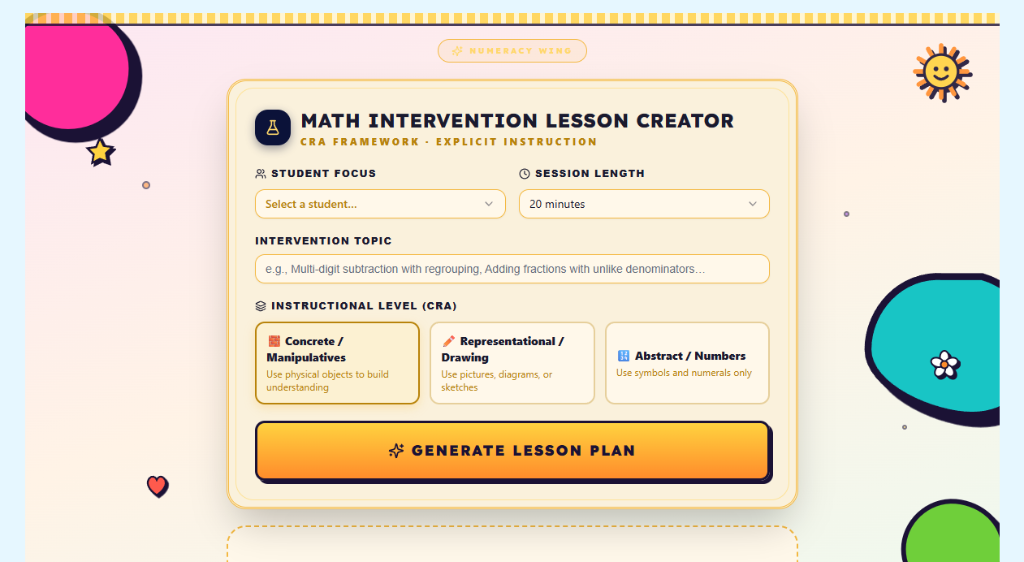
Math Intervention Lesson Creator
See the Math Intervention Creator flow from the input form (student, session length, topic, CRA level) through a golden transition into a fully generated, teacher-ready lesson plan — objective, materials, I Do modeling, and We Do guided practice.
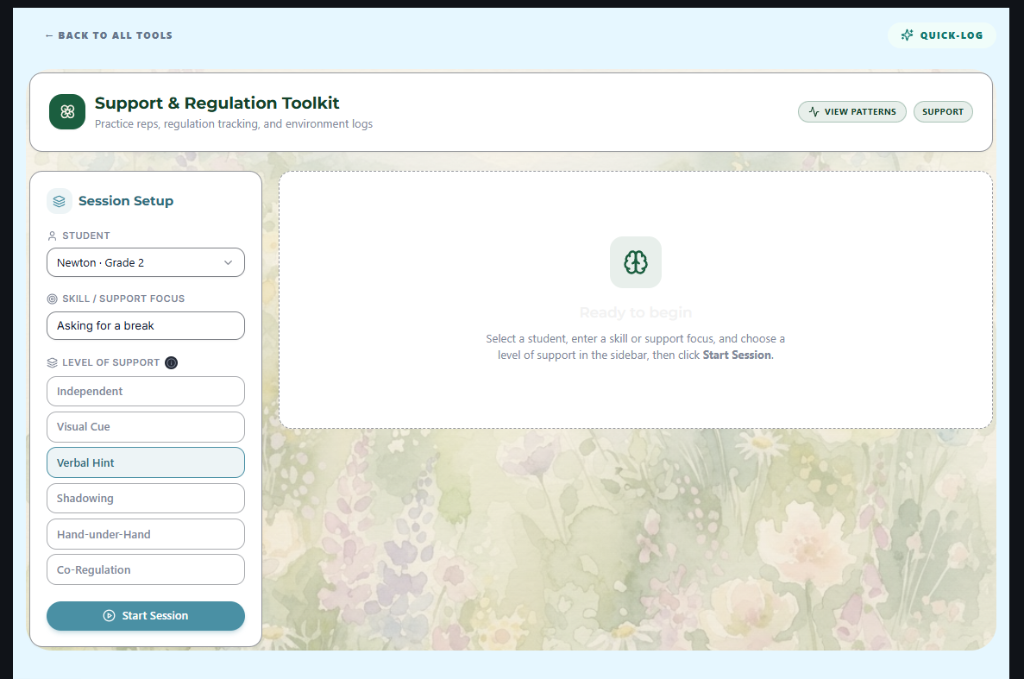
Step 1 — Pick a student, skill focus, and level of support, then start the session
ABA / Support & Regulation Toolkit
Set up a support session — pick a student, skill focus, and level of support — then run it live: log practice reps, duration & frequency, and sensory regulation notes as the session unfolds.
Newton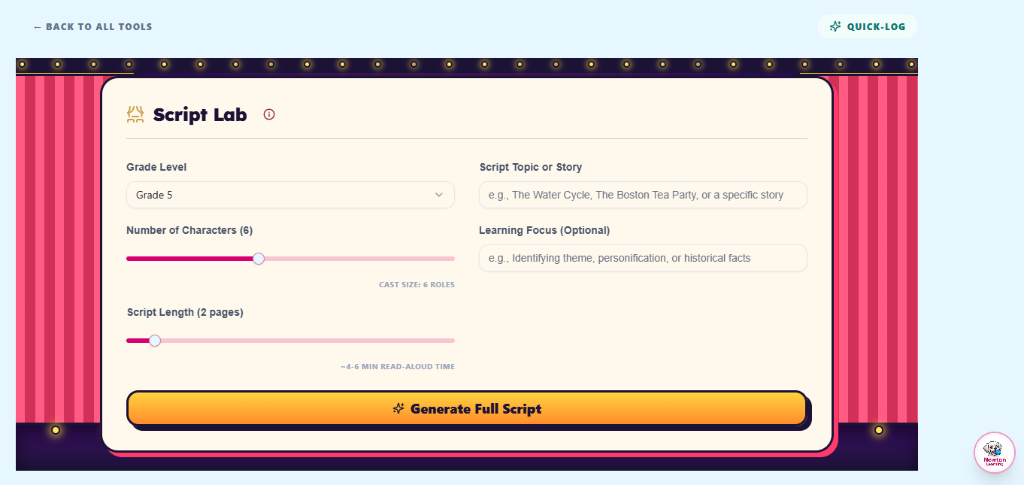
Pick a grade, cast size, script length, and a topic or story on the Script Lab's theatrical stage.
Drama Script Lab
Set up a Reader's Theater script — grade, cast size, length, and topic — then watch the lab cast roles and write a full performance-ready script you can print, download as PDF, or save to your library.
Newton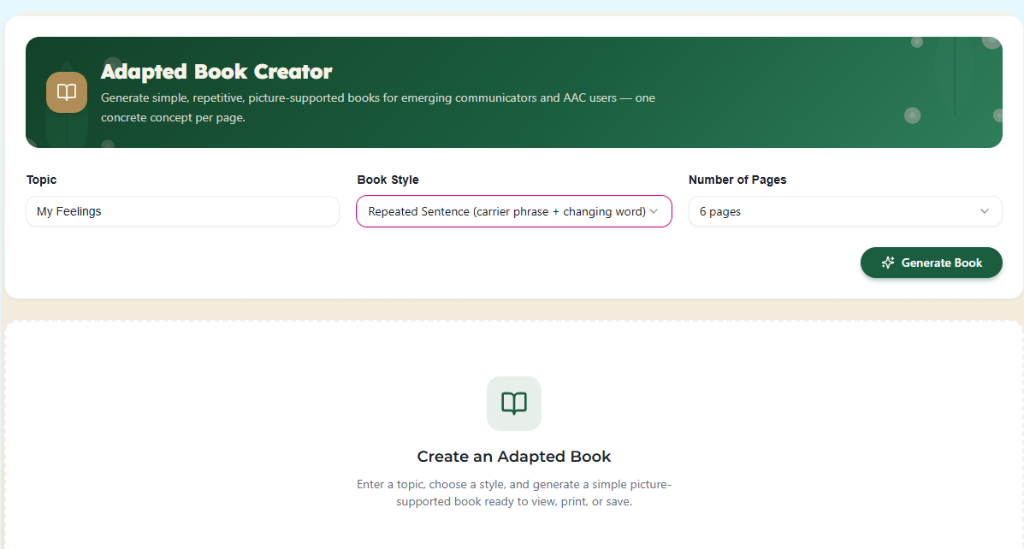
Type a topic like 'My Feelings', choose a book style — repeated sentence or single word — and pick the number of pages.
Adapted Book Creator
Type a topic, choose a book style and page count, then watch the Adapted Book Creator build a picture-supported book page by page — ready to view, print, or save for emerging communicators and AAC users.
Newton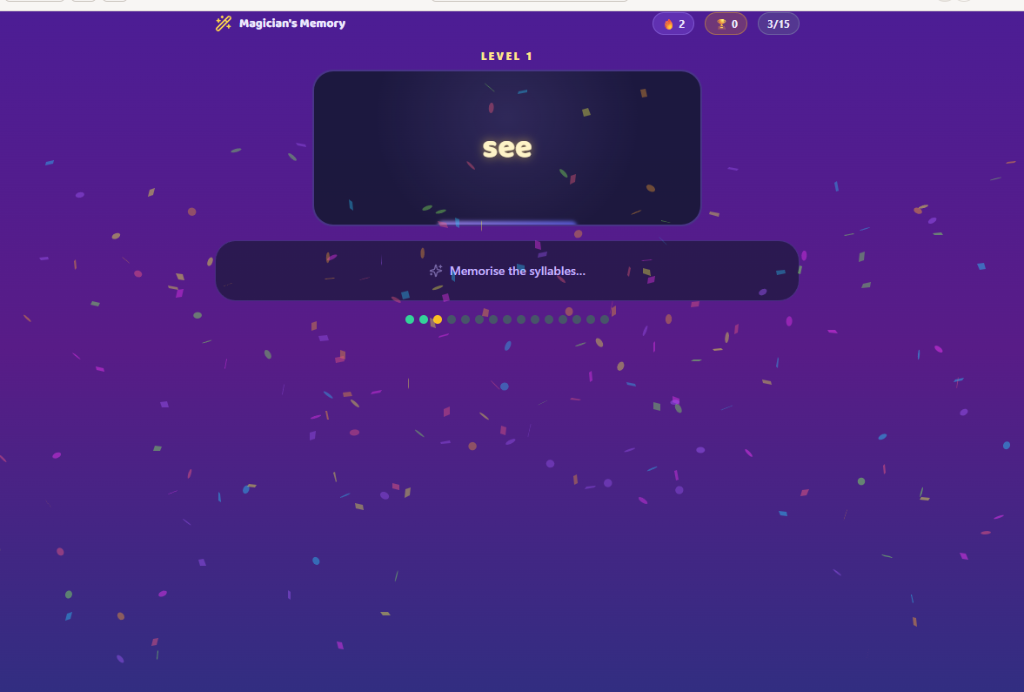
A target word flashes onto the magician's pedestal — the streak counter and round progress track every word in the 15-word set.
Syllable Decoding Games — Magician's Memory & Syllable Slot
Two multisyllabic decoding games in one demo. Magician's Memory Game: a word flashes onto the pedestal, students memorise the syllables before it vanishes in a puff of smoke, then type it from memory — correct spells earn a Sparkle Success, with 'Hear Syllables' support and a 15-word streak tracker. Syllable Slot Machine: pull the lever to spin decodable syllables on 2–3 reels in Mixed / Real Words / Nonsense modes — land a real word and Newton celebrates with confetti.
Newton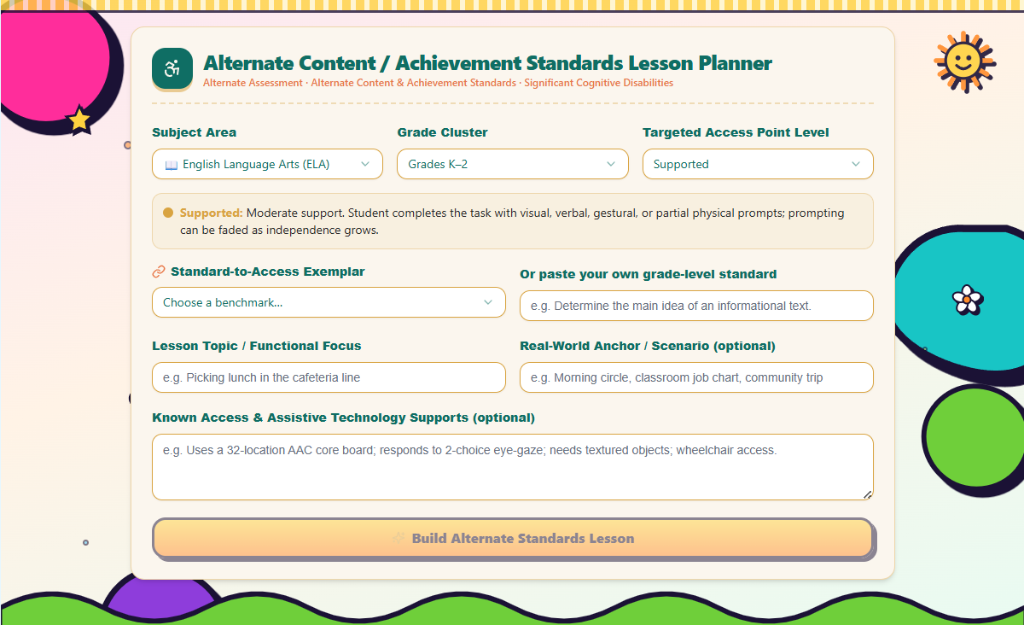
Pick a subject, grade cluster, and a Participatory / Supported / Independent access level — the Alternate Content / Achievement Standards planner bridges any grade-level standard into functional access objectives.
Alternate Content / Achievement Standards Lesson Planner
For students with significant cognitive disabilities on alternate assessment aligned to alternate content & achievement standards: select subject, grade cluster, and a Participatory / Supported / Independent level, bridge a grade-level standard into functional access objectives, and generate a 6-step multisensory lesson with AAC supports, 3-tier questioning, and an independence rubric.